Fleet software for fleets juggling too many tools
Unified Data Intelligence
Your GPS, cameras, fuel cards, shops and paperwork all live in different places. Fleet Unify brings them together, so you spot problems sooner and fix them faster.
- Keep your current vendors
- One login for everything
- 7+ connected apps
Works with the tools you already use: Geotab, Samsara, Motive, LytxOne, SurfSight, WEX, Comdata and more.

Six separate tools, each with its own login, come together on one Fleet Unify screen with a single login.

One screen
Sound familiar?
Where fleets quietly lose money.
Pick the one that keeps you up at night.

- Five tabs to answer one question.Fixed with Fleet Unify
- Fuel spend nobody can explain.Fixed with Fleet Unify
- Quarter end, minus the panic.Fixed with Fleet Unify
- The same habits, every week.Fixed with Thrive
- Trucks parked, waiting on a quote.Fixed with PitWorX
- Clipboards, retyping and lost forms.Fixed with CheatSheetZ
- Good drivers go unnoticed.Fixed with Thrive
- Things fall through the cracks.Fixed with EZFlowZ
- Routes planned by gut feel.Fixed with SimpleStreets
Drag the slider
Same fleet. Same vendors. Way less chaos.
Slide left to see a day with six tools. Slide right to see it with Fleet Unify.
Seven apps, one login
Everything your fleet runs on. Finally on speaking terms.
Each app solves a real problem. Together, nothing gets retyped.

See the whole fleet in one place.
Every truck, driver and alert on one map, so nothing slips through.
Explore
Trucks back on the road, faster.
Report a problem, get a quote, approve it and watch the repair until the truck is back.
Explore
Make good driving pay off.
Points and rewards for smooth braking and safe miles. Drivers actually care.
Explore
The follow-up that never forgets.
Set a rule once. It assigns, reminds and checks back so nobody has to chase.
Explore
Every stop, planned and tracked.
Logistics, routing and service dispatch: every stop on one board, the best route for each vehicle, and every stop tracked until it is done.
Explore
Paper forms, retired.
Inspections and forms on a phone, with photos and sign-off built in.
Explore- Field App
Everything drivers need. One phone.
Inspections, coaching clips, rewards and forms, all in one place for the cab.
Explore
The live view
Know what is moving, what is parked and what needs you.
Every truck on one map, whichever GPS tools they run on.
- Moving
- Idle
- Needs you
- At the yard
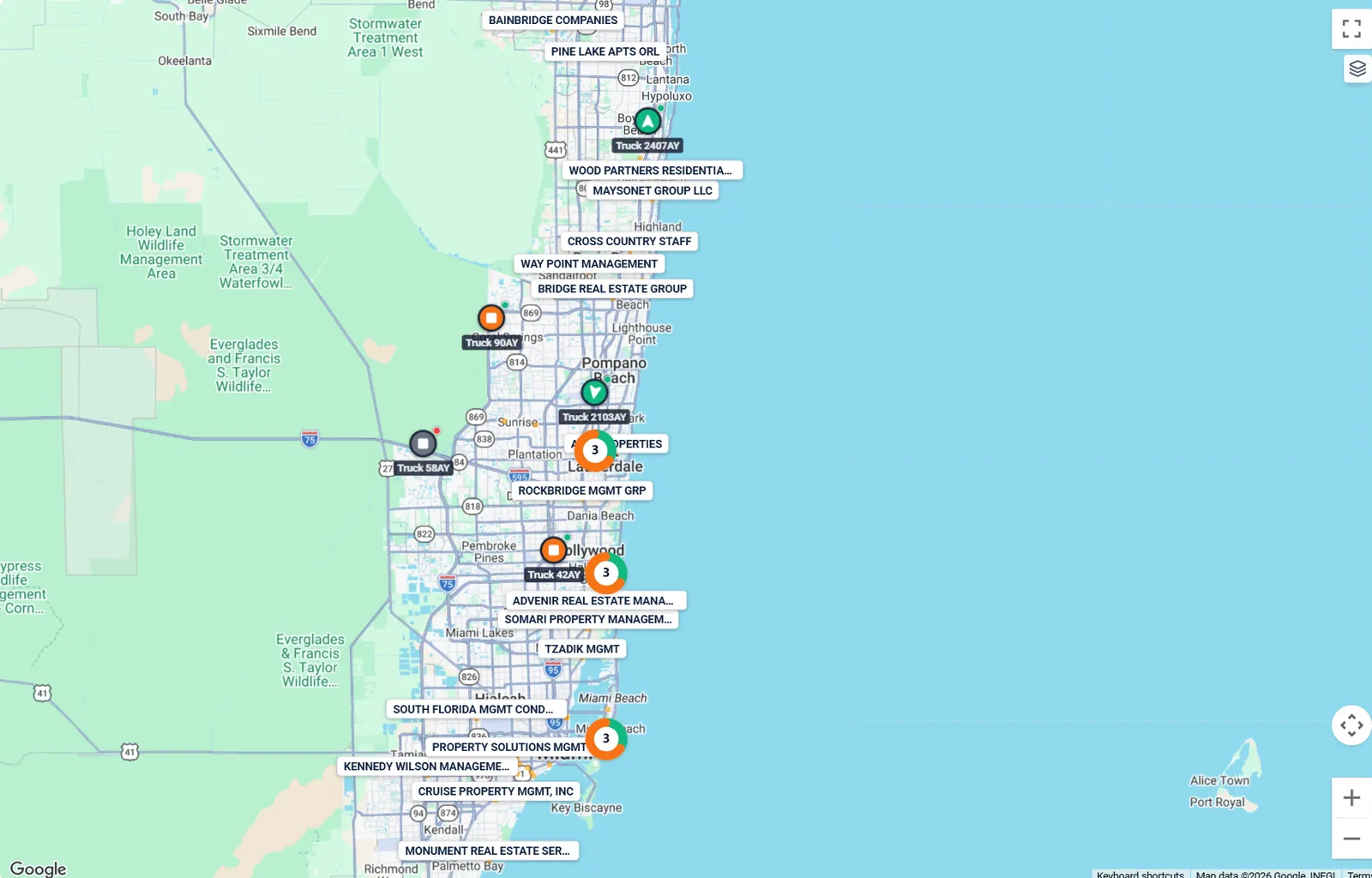
- Every truck, live
- Close trucks group together
- Open any truck for the full picture
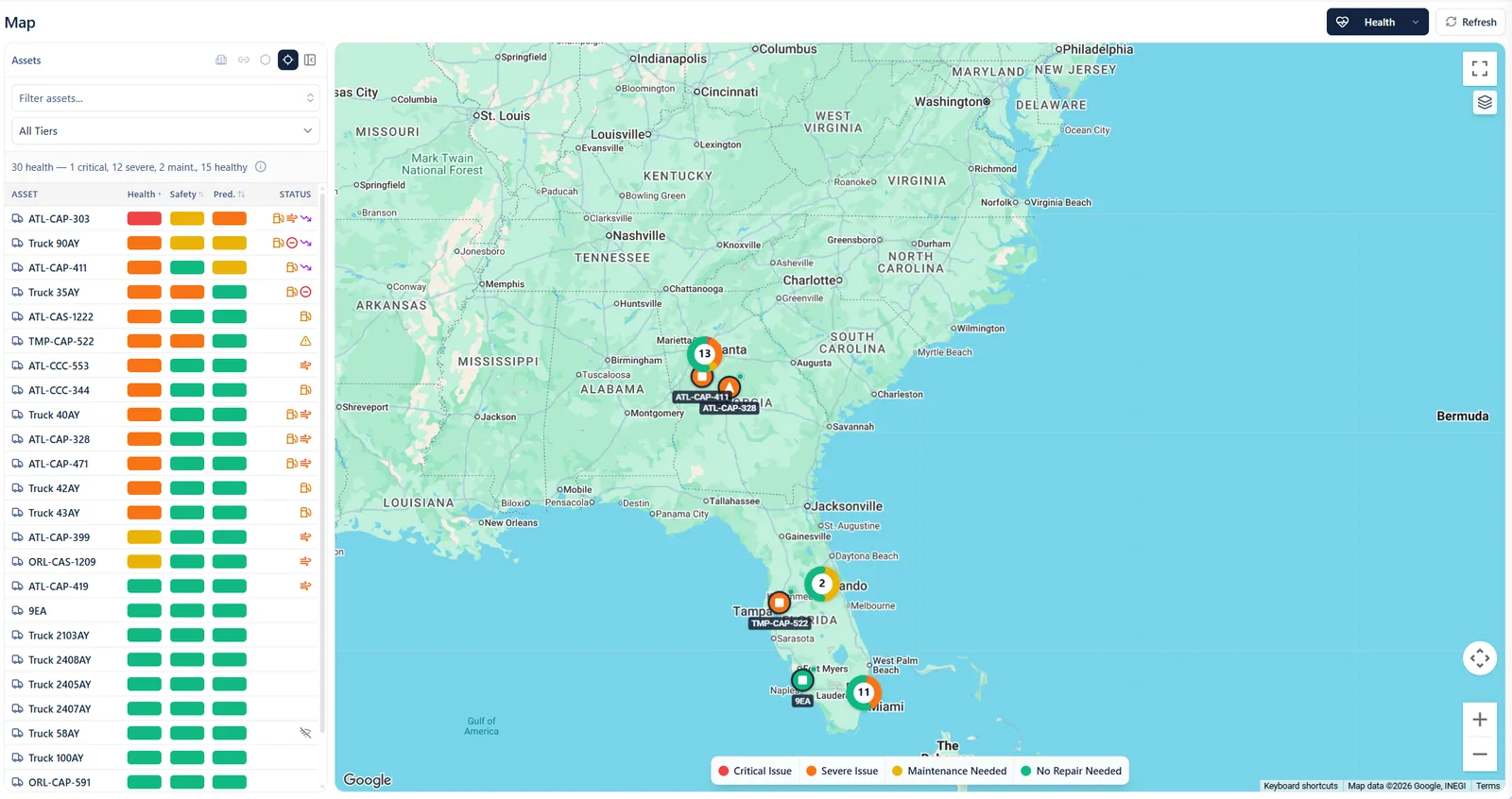
- Red means fix it now
- Every truck’s health at a glance
- See where the trouble is
Warning light on? I will explain it.
Always on call
Meet UNI. Your fleet’s sidekick.
Warning light on? UNI tells you what is wrong in plain English and suggests the fix. Then a work order is one click away.
- What is wrong, in plain English
- How urgent it is
- The repair to ask for
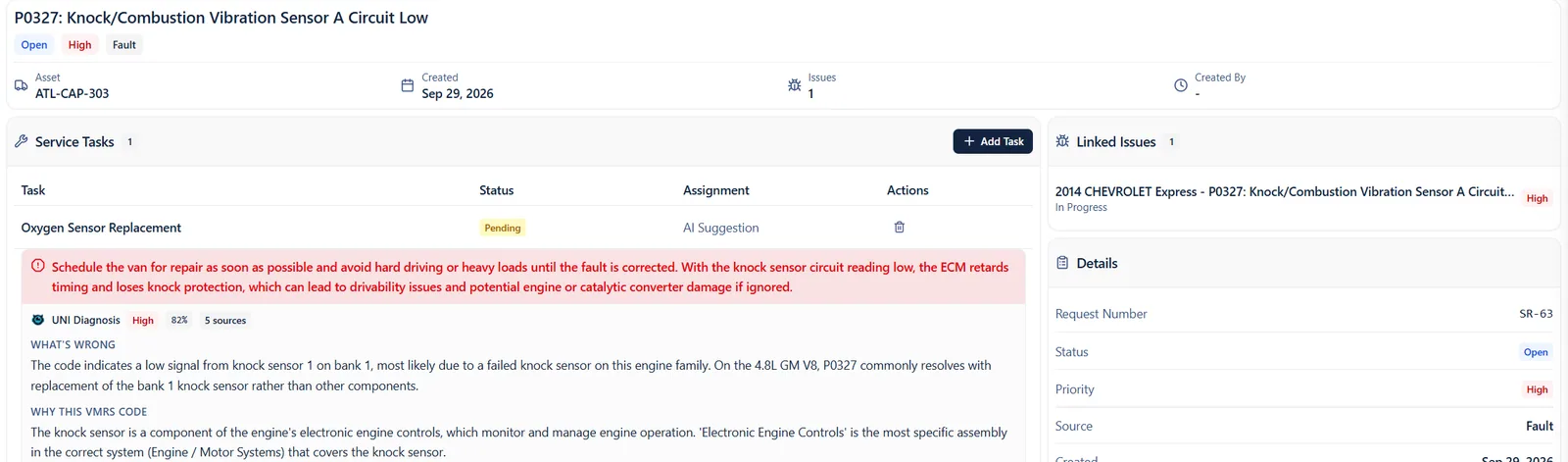
- Suggested repair, ready to go
- How urgent it is and what to do
- UNI explains what is wrong
A day with Fleet Unify
From the first inspection to the last follow-up, nothing slips.
Scroll through one ordinary day.
- Field App
Inspection done
A driver finishes the pre-trip on a phone.
- Fleet Unify
Odd fill flagged
A fill bigger than the tank waits for a quick look.
- Thrive
Coaching clip assigned
A hard-braking moment becomes a short lesson.
- PitWorX
Repair request sent
A warning light becomes a work order for a nearby shop.
- PitWorX
Quote approved
One tap and the truck is booked in.
- Thrive
Points awarded
A driver's smooth week earns a reward.
- EZFlowZ
Reminder sent for you
The follow-up happens on its own.
No rip and replace
Keep the tools you trust. Connect them in one place.
No new GPS to learn. No hardware to swap.
GPS and tracking
- Geotab
- Samsara
- Motive
- Flespi
- Hubble
- Geoforce
Cameras
- Geotab
- LytxOne
- SurfSight
- Fleetflix
- Samsara
Fuel cards
- WEX
- Comdata
- Fleetcor
- EFS
- Voyager
- Tchek
Maintenance
- PitWorX
- Fleetio
Field service and workforce
- ServiceTitan
- UKG Kronos
- Geotab, GPS and tracking
- Samsara, GPS and tracking
- Motive, GPS and tracking
- Flespi, GPS and tracking
- Hubble, GPS and tracking
- Geoforce, GPS and tracking
- Geotab, Cameras
- LytxOne, Cameras
- SurfSight, Cameras
- Fleetflix, Cameras
- Samsara, Cameras
- WEX, Fuel cards
- Comdata, Fuel cards
- Fleetcor, Fuel cards
- EFS, Fuel cards
- Voyager, Fuel cards
- Tchek, Fuel cards
- PitWorX, Maintenance
- Fleetio, Maintenance
- ServiceTitan, Field service and workforce
- UKG Kronos, Field service and workforce
Getting started
Getting started takes three steps.
Step 1: Talk to us
Tell us what you run today and what is costing you the most.
Step 2: We connect your tools
Your GPS, cameras, fuel cards and shops get hooked up. You keep your vendors.
Step 3: Your team gets one place
Managers on the web, drivers on the Field App and shops by link.
Built for your team
Built for everyone who keeps trucks moving.
Owners and executives
See the whole business at a glance.
- One view of trucks, drivers, fuel and repairs
- Problems flagged early
- Everyone working from the same numbers
Quick answers.
Do we have to replace our GPS or cameras?
No. You can keep the GPS, cameras and fuel cards you already have, and Fleet Unify shows them together. Or, if you want to change, you can switch to any GPS or camera provider we support. Either way, your trucks, drivers and fuel end up in one place.
How do we get started?
Book a demo or send us a message. Tell us which tools you use today and what is costing you the most. We will show you how it all fits together.
Do shops need an account?
No. Shops work from a link you send. The link stops working when the job is done.
Ready to see your fleet in one place?
Bring your questions and the tools you use today. We will show you how it all fits together.