Fleet Unify: live fleet view
Every truck. One live view.
Know what is moving, what is idle and what needs a call.
See your whole fleet on one map, whichever GPS tools your trucks run on. Spot a quiet truck, plan the next job and look back at yesterday with confidence.
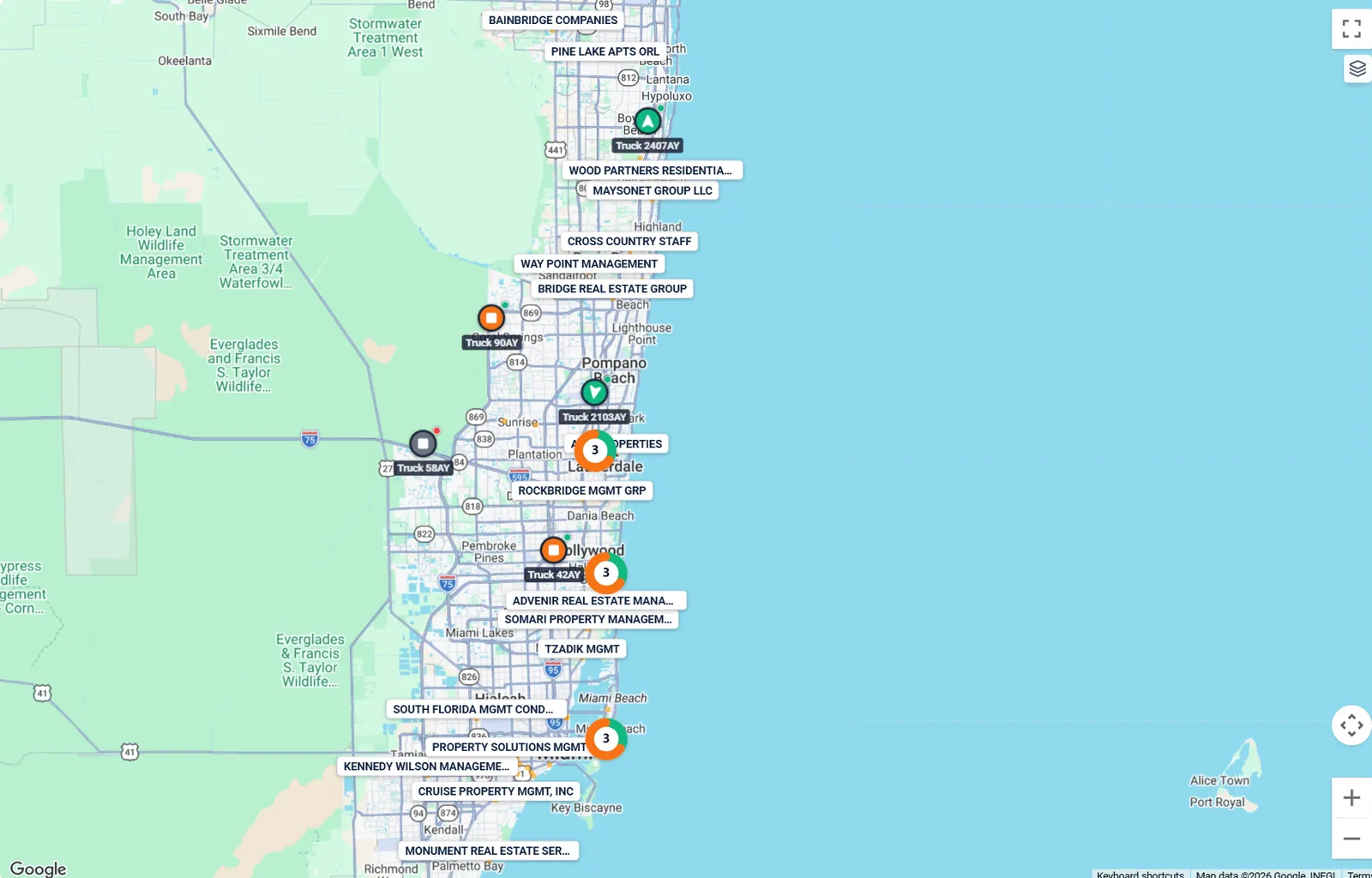
- Every truck, live
- Close trucks group together
- Open any truck for the full picture
What it fixes
The problems Fleet Unify takes off your plate.
What you get.
See it all
Every truck on one map, moving, idle or quiet.
Catch trouble early
Get a heads-up when a truck goes quiet or needs attention.
Plan with real facts
Look back at full days, trips and idle time before you decide.
See which trucks need you
Every truck gets a health color, so trouble stands out.
- Red means fix it now
- Get an alert when a truck goes quiet for too long
- Open a truck and take the next step right there
- Mark your yards and key places
- Plan the next job from the same screen
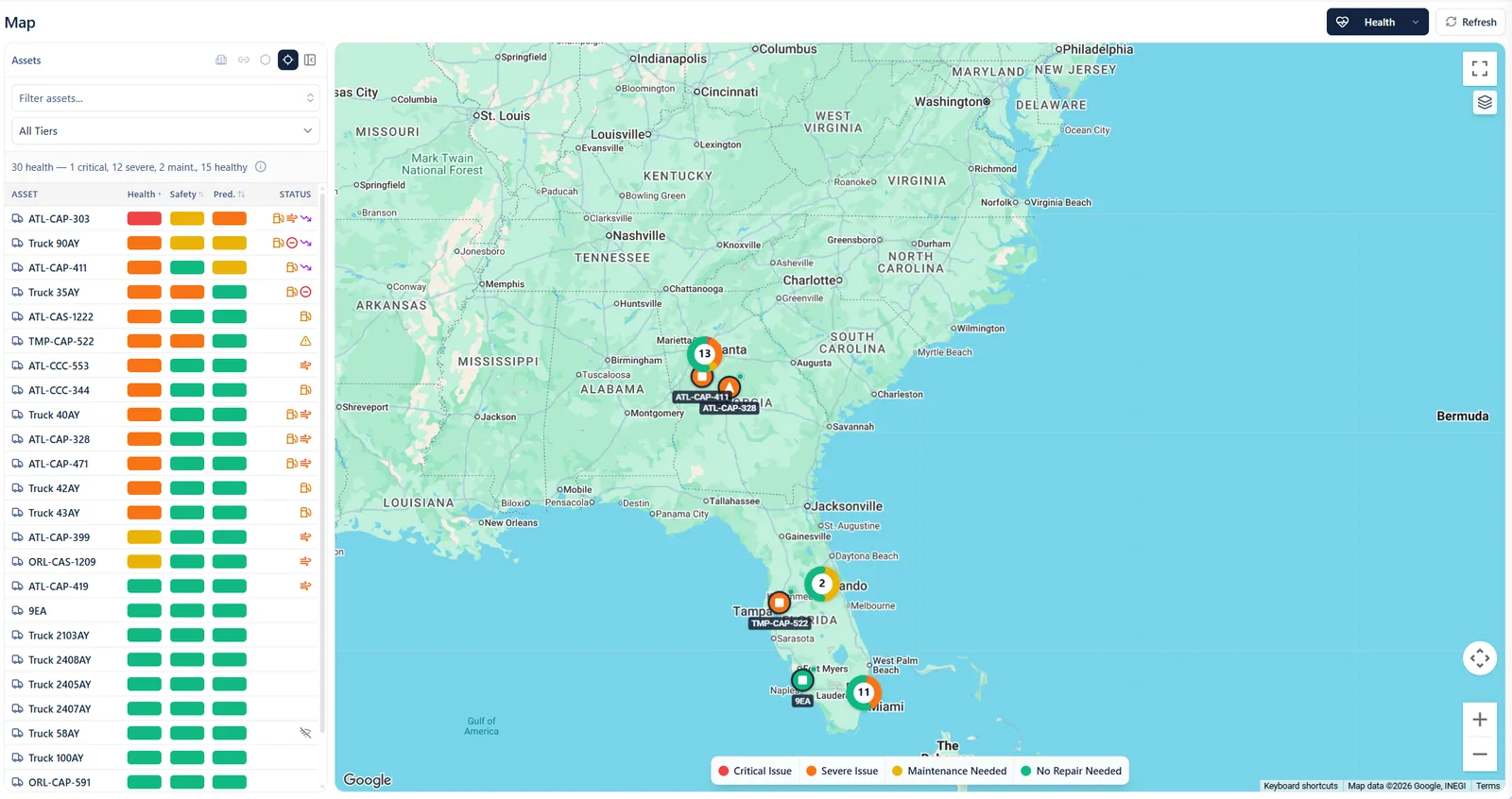
- Red means fix it now
- Every truck’s health at a glance
- See where the trouble is
Know what yesterday really looked like
Reports use complete days, so you never present numbers from a half-finished morning.
- Replay any trip
- See idle time by truck
- Spot which trucks earn their keep
- Compare sites side by side
Know what is moving, what is idle and what needs a call.
Works with the tools you already use.
- Geotab
- Samsara
- Motive
- Flespi
- Hubble
- Geoforce
Better together.
Every app talks to the others, so nothing gets retyped.


Quick answers
Do we need to change our GPS provider?
No. Fleet Unify works with the GPS tools you already use and shows them together on one map.
Can we mix different GPS tools?
Yes. Trucks from different tools show up on the same map, so you do not need to switch between websites.
Ready to see your fleet in one place?
Bring your questions and the tools you use today. We will show you how it all fits together.